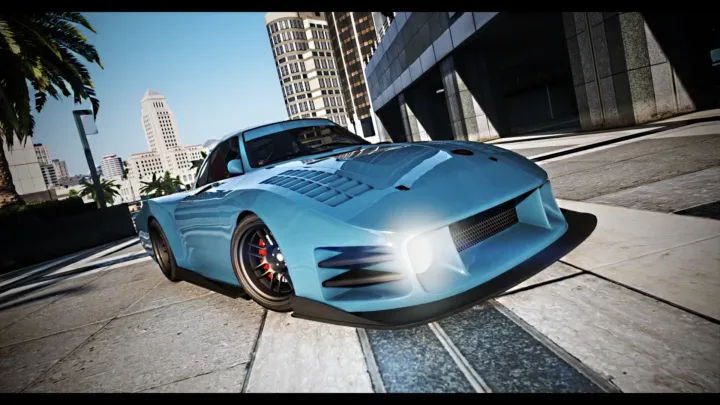
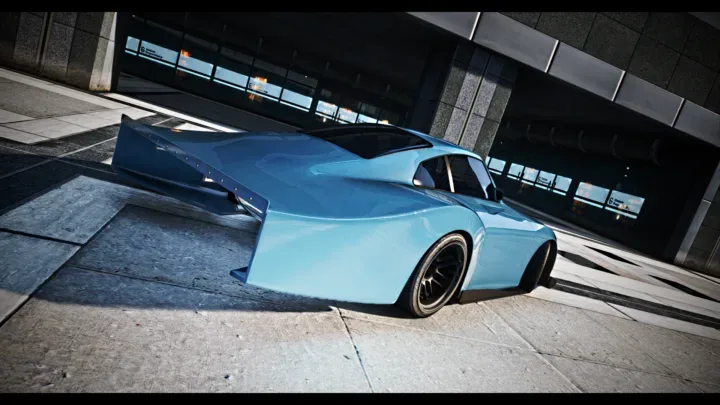
Pfister Comet Retro Longtail | 56 Tuning Parts | FiveM
Lore-friendly Comet Retro Longtail with 56 tuning parts to spec
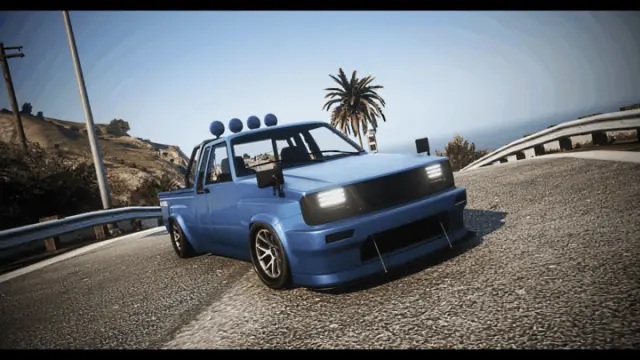
Fifty six tuning parts on a single car. That number is the whole point of this build, and it is why the Comet Retro Longtail earns a bay in the tuning shop instead of being another spawn-and-forget sports car. Players who care about their ride get a proper session out of it, working through the catalog until the car on the lift looks like nobody else's.
A vanilla edit, done properly
This is a lore-friendly edit of the Pfister Comet Retro Longtail, built from the base game vehicle rather than a real-world import. It keeps GTA's own design language, so it parks next to stock traffic on a lore-friendly server without breaking the world your players are roleplaying in. Servers that curate their vehicle list around lore-friendly rules can add it without an exception.
The bodykit and the parts
The 56 tuning parts include a full bodykit, giving builders real freedom at the bench. Two players can pull the same chassis out of the dealership and end up with visibly different cars once they have been through the options.
Handling built for the rear wheels
The car ships with custom RWD handling written for it, not a copied line from another vehicle. That makes it a natural pick for tuner and drift crews who want a rear-wheel-drive platform that behaves consistently, and for sports car lineups that need more than default physics.
Spawn code
The vehicle spawns as gstcomr2.
Write a review
Reviews are moderated before appearing. Purchased the product? Your review gets a VERIFIED badge automatically.
Related vehicles





About this vehicle
Pfister Comet Retro Longtail | 56 Tuning Parts | FiveM is a premium, debadged FiveM vehicle from the CFXCars Tebex showroom, a curated selection of optimised, ToS-compliant cars for roleplay servers. Every vehicle ships with lifetime updates, instant email delivery, and email support.
It drops straight into any FiveM server as a clean add-on: unzip into your resources folder, add it to your server.cfg, and restart. The model streams with optimised LODs and tuned handling, so it scales with your player count instead of against it.